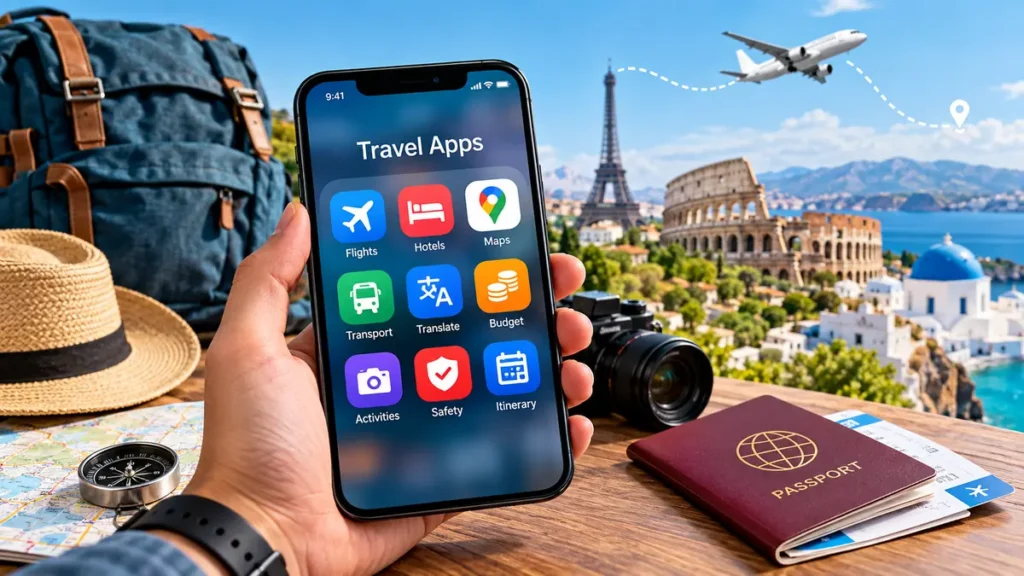
Planning a trip involves more than booking a flight and packing a suitcase. Travelers need to compare transportation options, find accommodation, navigate unfamiliar streets, manage expenses, and stay informed when plans change.
The right travel apps can simplify these tasks, helping travelers organize their journeys without switching between countless websites or relying on printed documents.
Travel apps are mobile applications that help people plan, book, navigate, and manage trips. Popular options include Google Maps for navigation, Google Flights and Skyscanner for flight research, Booking.com for accommodation, TripIt for itinerary organization, and Google Translate for communication. The most useful combination depends on your destination, budget, and travel style.
Rather than installing every available application, it makes more sense to understand what each category does and choose a small collection that covers your actual needs.
What Are Travel Apps and How Do They Work?
Travel apps are smartphone or tablet applications designed to assist with different aspects of traveling. Some connect users with airlines, hotels, and transportation providers, while others provide maps, translation tools, expense tracking, and destination information.
Most applications use a combination of internet connectivity, location services, booking databases, and user preferences to deliver relevant information.
For example, a navigation application uses GPS and mapping data to calculate directions. A flight comparison service collects fare information from airlines and travel providers, while an itinerary organizer brings booking confirmations into one accessible schedule.
Different Types of Travel Applications
Travel applications generally fall into several categories:
- Trip planning apps: Organize destinations, activities, and travel schedules.
- Flight search apps: Compare routes, fares, airlines, and departure times.
- Hotel booking apps: Research hotels, apartments, hostels, and vacation rentals.
- Navigation apps: Provide directions, maps, public transit information, and location searches.
- Transportation apps: Help arrange rides, trains, buses, and local mobility.
- Translation apps: Support communication in unfamiliar languages.
- Travel budget apps: Track spending, currencies, and shared expenses.
- Travel safety apps: Provide official alerts, emergency information, and useful travel resources.
Many modern applications combine multiple functions, although specialized tools may offer greater detail for particular tasks.
Best Travel Apps for Planning and Organizing Trips
A successful journey usually begins with a realistic itinerary. Planning applications make it easier to organize destinations, travel dates, reservations, and activities in one place.
Google Travel
Google Travel provides a web-based collection of travel research and planning tools connected to Google’s broader ecosystem.
Travelers can explore destinations, research hotels, compare flights, and access relevant reservation information through supported Google services.
Google Travel is particularly useful during the early research stage when travelers are still comparing possible destinations and dates.
Its main limitation is that it does not replace every function of a dedicated itinerary management application.
TripIt
TripIt focuses on organizing travel confirmations into a structured itinerary.
Travelers can forward supported reservation emails to the service, which can extract important information about flights, accommodation, and other reservations.
Its useful features include chronological trip schedules, reservation details, calendar integration, and itinerary sharing.
TripIt is especially helpful for multi-city trips where keeping track of confirmation numbers and departure times becomes difficult.
Some advanced functions require a paid subscription.
Wanderlog
Wanderlog combines itinerary building, mapping, collaborative planning, and expense organization.
Travelers can add attractions, restaurants, accommodation, and activities to a trip plan. The application helps visualize where destinations are located and arrange visits into practical daily schedules.
For group travel, collaborative editing allows participants to contribute ideas without maintaining separate planning documents.
Some offline and advanced planning features are limited to paid plans.
Roadtrippers
Roadtrippers is designed around road travel and discovering attractions along a route.
It can help travelers identify scenic stops, parks, landmarks, restaurants, and other points of interest between destinations.
It is most relevant to road trips, particularly in supported regions of North America. Route and feature availability vary by location and subscription.
Best Travel Apps for Flights and Accommodation
Flight and accommodation research can consume a large portion of travel planning time. Comparison tools help travelers understand available options, although displayed prices and availability can change before checkout.
Google Flights
Google Flights is a flight search tool rather than a traditional standalone mobile application. It works through a browser and is particularly useful for researching airfare.
Its tools include flexible date comparisons, price tracking, alternative airport searches, and route exploration.
Travelers with flexible schedules can use its calendar and date comparison features to identify potentially cheaper departure days.
A useful practice is to compare the displayed itinerary with the airline’s own website before making a reservation.
Skyscanner
Skyscanner compares flight options across airlines and participating travel providers.
It also offers hotel and car rental research in supported markets.
Skyscanner is useful for discovering alternative routes and comparing travel dates. Its destination exploration features can also help travelers who have a budget but have not selected a destination.
Remember that baggage, seat selection, and payment fees may affect the final ticket cost.
Hopper
Hopper focuses on travel price information and booking features, including airfare and accommodation.
Its price prediction and monitoring tools are designed to help travelers evaluate when to book.
However, airfare forecasts are estimates rather than guarantees. Prices can change because of airline inventory, demand, and fare rules.
Travelers should also examine cancellation conditions and any optional paid protections before booking.
Booking.com
Booking.com provides access to hotels, apartments, guesthouses, and other accommodation types.
Useful research features include property filters, guest reviews, location maps, and information about cancellation and payment conditions.
Before choosing accommodation, travelers should examine recent reviews, transport connections, additional fees, and check-in policies.
A highly rated property may still be inconvenient if it is far from the places a traveler intends to visit.
Airbnb
Airbnb focuses on short-term accommodation, including rooms, apartments, and entire homes.
It can be useful for families, groups, and travelers who need kitchens or additional living space.
When comparing listings, consider the total price rather than the nightly rate alone. Cleaning charges, service fees, house rules, and cancellation conditions can materially change the experience.
Local short-term rental regulations may also affect availability.
Hostelworld
Hostelworld is particularly relevant for budget travelers looking for hostels and shared accommodation.
Listings often include information about dormitory options, private rooms, guest reviews, and social facilities.
For solo travelers, reviews about security, cleanliness, locker availability, and location are especially useful.
Comparing Popular Booking Tools
| Tool | Main purpose | Particularly useful for |
|---|---|---|
| Google Flights | Flight research | Flexible travel dates |
| Skyscanner | Flight comparison | Comparing airlines and routes |
| Hopper | Price monitoring | Evaluating fare trends |
| Booking.com | Accommodation research | Hotels and apartments |
| Airbnb | Short-term rentals | Groups and longer stays |
| Hostelworld | Hostel research | Backpackers and solo travelers |
No single platform consistently offers the lowest price. Comparing the total cost and booking conditions is more reliable than choosing based on the first advertised rate.
Best Travel Apps for Navigation and Getting Around
Finding your way around a new destination can be challenging, especially when public transportation systems, street signs, and local travel habits are unfamiliar.
Navigation and transportation applications help travelers understand their surroundings and select practical routes.
Google Maps
Google Maps is one of the most versatile navigation tools for international travel.
It provides driving directions, walking routes, public transportation information, business listings, reviews, and estimated travel times.
One particularly useful feature is offline maps. Travelers can download selected geographical areas before departure and access supported navigation features without an active internet connection.
However, offline Google Maps does not provide walking, cycling, or public transit directions, and offline driving lacks live traffic updates.
Google Maps Help
Apple Maps
Apple Maps is a navigation alternative for travelers using Apple devices.
It offers turn-by-turn directions, public transit information in supported locations, place discovery, and selected offline mapping capabilities.
Its integration with the iPhone, Apple Watch, and other Apple devices can make navigation convenient.
Map detail and public transit coverage differ between destinations, so checking local support before departure is worthwhile.
Citymapper
Citymapper specializes in urban transportation.
In supported cities, it combines information about buses, trains, subways, walking routes, and other transportation options.
It is particularly helpful in large metropolitan areas where travelers must navigate multiple transport networks.
Citymapper is not available with the same coverage everywhere, making it more suitable for selected urban destinations than remote travel.
Rome2Rio
Rome2Rio helps travelers explore transportation options between cities, towns, and countries.
Rather than focusing on street-level navigation, it compares possible combinations of trains, buses, flights, ferries, and road travel.
For example, someone traveling between two European cities can use Rome2Rio to identify potential routes before checking the relevant operator’s official timetable.
Displayed prices and journey estimates should be treated as planning guidance rather than guaranteed booking information.
Uber, Bolt, and Grab
Ride-hailing services can make local transportation easier where they operate.
Uber serves many cities worldwide, while Bolt operates in selected international markets. Grab is particularly relevant in parts of Southeast Asia.
Availability, payment methods, airport pickup arrangements, and vehicle categories vary by location.
Travelers should verify the driver’s identity and vehicle details within the application before entering a car.
Best Travel Apps for International Travel
International trips introduce additional considerations, including language barriers, unfamiliar currencies, mobile connectivity, and country-specific travel requirements.
A few specialized tools can make these challenges easier to manage.
Google Translate
Google Translate helps travelers understand written and spoken languages.
Its features include text translation, camera-based translation, voice input, and downloadable language support for selected languages.
Camera translation is particularly useful for reading restaurant menus, signs, and product labels.
Travelers should remember that automated translations can miss context, especially in legal, medical, or emergency situations.
DeepL
DeepL is another translation tool that can be useful for longer sentences and written communication.
It supports a range of languages and offers translation through its website and mobile applications.
For detailed messages, travelers can compare results from more than one translation service to identify possible misunderstandings.
Neither tool should be assumed to produce perfect translations.
XE Currency
XE Currency helps travelers understand exchange rates and convert amounts between currencies.
Currency conversion is especially useful when comparing hotel prices, restaurant bills, transportation fares, and shopping costs.
An exchange-rate application may show a reference market rate that differs from the amount actually charged by a bank, card provider, or currency exchange business.
Always account for foreign transaction fees and conversion margins.
Airalo
Airalo provides access to eSIM mobile data plans for supported destinations.
An eSIM allows compatible smartphones to activate a mobile service digitally without replacing a physical SIM card.
This can be convenient for travelers who want mobile data shortly after arrival.
Before relying on an international eSIM, check device compatibility, whether the phone is carrier-unlocked, destination coverage, activation rules, and whether the plan includes data only or also supports calls and texts.
WhatsApp is widely used for messaging, voice calls, and sharing locations.
It can help travelers communicate with family members, accommodation hosts, tour organizers, and other contacts.
Because WhatsApp requires internet connectivity for messaging and internet calls, travelers should arrange suitable mobile data or Wi-Fi access.
For emergencies, the destination’s official emergency telephone number remains essential.
Best Travel Apps for Budgeting and Group Expenses
Managing money becomes more complicated when several people share accommodation, transportation, meals, and activities.
Expense applications help organize spending and reduce confusion over who owes what.
Splitwise
Splitwise is designed to track shared expenses.
Travelers can record payments and allocate costs among group members. This makes it useful for friends sharing accommodation, transport, groceries, or restaurant bills.
For example, if four travelers share a $200 accommodation bill equally, each person’s share is $50. Splitwise can record who paid and calculate the resulting balances.
The application tracks obligations but does not guarantee that payments will be transferred automatically.
TravelSpend
TravelSpend focuses on travel expense tracking.
Users can record purchases, categorize spending, and monitor their budget throughout a trip.
It is useful for longer journeys where small daily purchases can accumulate into substantial expenses.
Travelers can compare their actual spending with a planned daily budget and adjust their activities accordingly.
Wise
Wise provides international financial services, including currency conversion and eligible multicurrency account features.
Its application can help eligible users manage supported currencies and review transactions.
However, account availability, card eligibility, fees, and local financial regulations vary by country.
Wise is a financial service rather than a general travel budget planner, so it serves a different purpose from Splitwise or TravelSpend.
Simple Budgeting Example
Consider a traveler with a $1,000 spending budget for a seven-day trip, excluding prepaid flights.
| Expense category | Planned budget |
|---|---|
| Accommodation | $350 |
| Food and drinks | $210 |
| Local transportation | $100 |
| Attractions | $140 |
| Emergency reserve | $200 |
| Total | $1,000 |
A budget tracking application can help distinguish essential spending from optional purchases.
Keeping an emergency reserve separate from ordinary daily spending also provides flexibility if transportation is disrupted or unexpected expenses arise.
Best Travel Apps for Activities, Outdoor Adventures, and Safety
Not every journey follows a city sightseeing itinerary. Some travelers prioritize hiking, cultural experiences, guided tours, or remote destinations.
Specialized applications can provide more relevant information for these activities.
Tripadvisor
Tripadvisor provides reviews and information about attractions, restaurants, accommodation, and activities.
It can help travelers research popular destinations and discover lesser-known places.
When evaluating reviews, look beyond the average rating. Recent comments about cleanliness, accessibility, crowding, and customer service may be more useful than older general impressions.
GetYourGuide and Viator
GetYourGuide and Viator help travelers explore guided tours, attractions, and local experiences.
Their listings can provide information about activity duration, meeting locations, inclusions, and cancellation conditions.
Before planning an activity, check whether transportation, entrance tickets, equipment, or meals are included.
Some attractions also have official booking systems, so comparing information with the attraction’s website can prevent misunderstandings.
AllTrails
AllTrails is designed for hiking and outdoor route discovery.
It offers trail information, route maps, distance estimates, elevation details, and community reviews.
Hikers can use these details to understand whether a route is suitable for their experience and available time.
Offline mapping may require a paid subscription. Trail information should also be checked against current weather, official closures, and local safety notices.
Organic Maps
Organic Maps is an offline-focused mapping application based on OpenStreetMap data.
It can be useful for travelers who prefer downloadable maps, walking directions, and reduced dependence on mobile connectivity.
As with any map application, route accuracy depends on the available mapping data.
Remote trails and poorly mapped roads require additional caution.
Official Government Travel Resources
Travel safety information should come from authoritative sources whenever possible.
Depending on nationality and destination, useful resources may include the U.S. Department of State, the UK Foreign, Commonwealth & Development Office, and the relevant destination government’s immigration or tourism authorities.
These sources can provide travel advisories, entry requirements, security information, and emergency contact guidance.
Official websites should take priority over third-party applications for visa requirements, passport validity rules, and urgent security alerts.
How to Choose the Right Travel Apps
The best collection of travel tools depends on the type of trip rather than the number of applications installed.
A solo backpacker may prioritize hostels, public transportation, and expense tracking. A family traveling by car may benefit more from road navigation, accommodation planning, and attraction research.
Travel Apps by Travel Style
| Travel style | Useful applications | Main benefit |
|---|---|---|
| Solo travel | Google Maps, Hostelworld, TripIt | Navigation and organization |
| Family vacations | Booking.com, Wanderlog, Google Maps | Shared planning and accommodation |
| Backpacking | Skyscanner, Rome2Rio, Organic Maps | Flexible transport and navigation |
| Business travel | TripIt, airline app, XE Currency | Reservations and expense awareness |
| Road trips | Roadtrippers, Google Maps | Route and stop planning |
| Group travel | Wanderlog, Splitwise | Shared itineraries and expenses |
| International travel | Google Translate, Airalo, XE Currency | Language, connectivity, and currencies |
| Outdoor adventures | AllTrails, Organic Maps | Trail research and offline maps |
Are Free Travel Apps Good Enough?
For many travelers, free applications provide most of the functionality needed for a standard trip.
Google Maps, Google Translate, Google Flights, and several itinerary services offer substantial free capabilities.
Paid features become more relevant when travelers need advanced offline access, sophisticated route optimization, enhanced flight alerts, or specialized planning tools.
Before subscribing, examine which features are included in the free version and whether the subscription renews automatically.
Can Travel Apps Work Without Internet?
Some applications can work offline, but offline support is usually limited to specific functions.
For example, downloaded Google Maps areas can support offline driving navigation, while TripIt allows access to stored itinerary details.
Google Maps Help
+1
Google Translate also supports downloaded language resources, and offline mapping applications can store geographical information locally.
However, live flight updates, new bookings, ride-hailing, current exchange rates, and many transportation searches require connectivity.
The safest approach is to test essential offline features before leaving home.
How to Prepare Your Travel Apps Before Departure
Downloading applications is only the first step. Proper setup determines how useful they will be when traveling.
A practical preparation process includes:
- Research your destination. Identify the navigation, transportation, and communication tools commonly supported there.
- Install essential applications. Choose one primary itinerary organizer, one navigation tool, and any destination-specific services.
- Save reservation information. Store flight confirmations, hotel addresses, and important booking references.
- Download offline resources. Save relevant maps, translation languages, and accessible itinerary details.
- Configure notifications. Enable important flight and reservation alerts without allowing unnecessary notifications to become distracting.
- Check payment arrangements. Confirm supported cards, payment methods, and possible international charges.
- Prepare emergency information. Save local emergency numbers, embassy or consular contacts, and travel insurance details.
- Test everything. Open downloaded maps and important documents with mobile data and Wi-Fi disabled.
Keep a separate copy of critical travel documents in a secure location. A lost phone or exhausted battery should not leave you without access to essential information.
Common Mistakes Travelers Make With Travel Apps
Even useful technology can create problems when travelers depend on it without preparation.
Installing Too Many Applications
Downloading several tools that perform the same function can create confusion.
A smaller set of reliable applications is generally easier to maintain and navigate.
Choose applications that solve distinct problems rather than duplicating every feature.
Trusting Prices Without Checking Final Costs
Flight and accommodation comparison tools may initially display prices that exclude certain charges.
Baggage fees, local taxes, cleaning fees, seat selection, and currency conversion costs can affect the total.
Always compare final amounts and cancellation terms.
Assuming Offline Features Are Automatic
An application installed on a smartphone does not necessarily work without internet access.
Maps, language packs, and itinerary details may need to be downloaded or synchronized beforehand.
Ignoring Privacy and Permissions
Travel applications may request access to location data, contacts, email, photographs, or payment information.
Review permissions and allow only the access needed for the features you intend to use.
For applications that scan booking emails, consider whether the convenience justifies the requested mailbox access.
Use official application stores, enable account security features, and avoid entering sensitive financial details into unfamiliar services.
Relying Entirely on AI-Generated Itineraries
AI-powered trip planners can help generate sightseeing ideas and organize potential routes.
However, suggested opening hours, transport schedules, prices, and attraction availability may be inaccurate or outdated.
Verify important details using official websites and current transportation information before relying on an itinerary.
How Travel Apps Are Changing in 2026
Travel technology increasingly combines planning, navigation, personalization, and automated assistance.
Several developments are shaping how travelers use digital tools.
AI-Assisted Trip Planning
AI-supported planners can generate draft itineraries from preferences such as destination, travel dates, interests, and budget.
Tools such as Mindtrip and other AI itinerary services aim to reduce the time spent researching activities and arranging daily schedules.
Recent travel-planning comparisons distinguish these tools from traditional organizers such as TripIt, which focus primarily on managing confirmed reservations.
Otta
+1
AI recommendations are most useful as a starting point rather than a substitute for verifying practical details.
More Integrated Travel Management
Travelers increasingly expect booking details, maps, activities, and expenses to work together.
Applications such as Wanderlog illustrate this approach by combining itinerary planning with mapping and collaboration.
Nevertheless, dedicated services remain valuable when a traveler needs detailed flight research or specialized navigation.
Greater Demand for Offline Functionality
Offline access remains important for travelers visiting remote areas, managing expensive roaming charges, or experiencing unreliable mobile coverage.
Downloaded maps, saved confirmations, and translation resources provide useful alternatives when connectivity disappears.
Personalized and Collaborative Planning
Travel planning tools increasingly accommodate shared editing, group preferences, and individually customized schedules.
These features can help families and groups coordinate their activities while maintaining a single itinerary.
The practical value comes from keeping everyone informed rather than adding more complicated planning features.
Final Thoughts on travel apps
The most useful travel apps are those that solve real problems before and during a journey.
Google Maps and Google Translate cover two fundamental needs: navigation and communication. Google Flights and Skyscanner support airfare research, while Booking.com and Airbnb help travelers explore accommodation options. TripIt and Wanderlog organize itineraries, and tools such as Splitwise, XE Currency, and Airalo address specific financial and connectivity needs.
There is no universal collection that suits every destination or travel style.
Start with a few essential applications, add specialized tools only when necessary, and prepare offline resources before departure. With reliable information and a well-organized digital toolkit, travelers can spend less time managing logistics and more time enjoying their destinations.