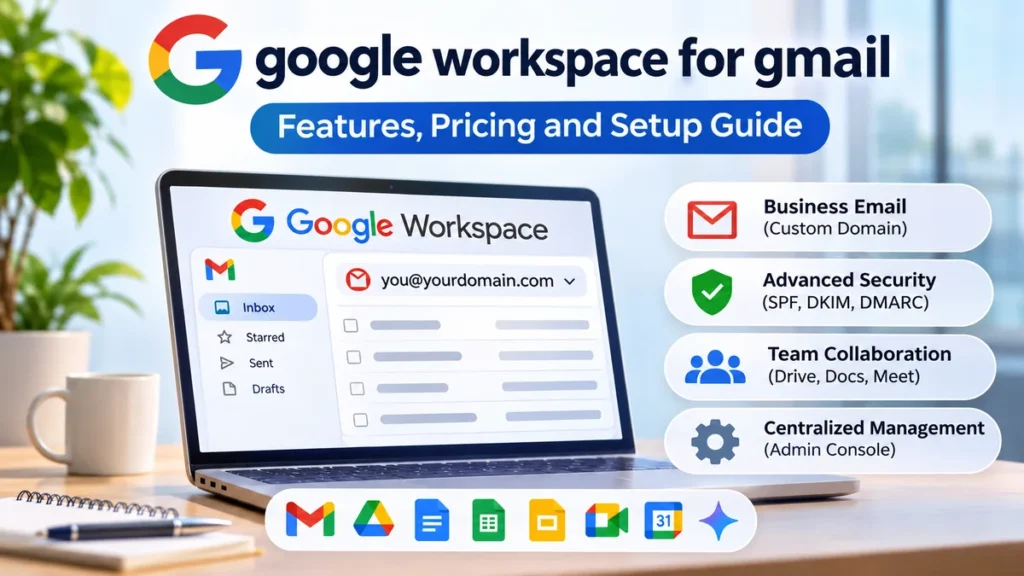
A professional email address does more than improve your business identity. It also gives you greater control over communication, data security, employee accounts, and workplace collaboration.
Using google workspace for gmail allows businesses to combine the familiar Gmail interface with professional email hosting and centralized account management.
Google Workspace is a cloud-based productivity suite that provides professional Gmail accounts, custom domain email addresses, cloud storage, collaboration tools, and administrative controls. Unlike free Gmail, it allows organizations to manage employee accounts, protect business information, and integrate email communication with Google Drive, Calendar, Meet, and Docs.
What Is google workspace for gmail?
Google Workspace, formerly known as G Suite, is a collection of cloud-based productivity and communication applications developed by Google.
Gmail for Google Workspace is the business-oriented version of Gmail. It allows organizations to use their own domain names instead of the standard @gmail.com extension.
For example:
| Personal Gmail | Google Workspace Gmail |
|---|---|
| john123@gmail.com | john@example.com |
| company@gmail.com | contact@example.com |
| businesshelp@gmail.com | support@example.com |
The Gmail interface remains familiar, but business accounts offer additional management, security, and productivity capabilities.
Google Workspace includes several integrated applications:
- Gmail: Professional email communication.
- Google Drive: Cloud-based file storage.
- Google Docs: Document creation and collaboration.
- Google Sheets: Spreadsheet management.
- Google Slides: Presentation creation.
- Google Meet: Online video meetings.
- Google Calendar: Scheduling and appointment management.
- Google Chat: Team messaging.
- Gemini: AI-powered productivity assistance.
- Google Admin Console: Centralized organizational management.
These applications work together within a single Google Workspace account.
Google Workspace vs. Free Gmail: What Is the Difference?
Although both services use the same underlying email platform, they serve different purposes. Personal Gmail is designed primarily for individual communication, while Google Workspace supports organizational requirements.
| Feature | Free Gmail | Google Workspace |
|---|---|---|
| Email address | @gmail.com | Custom domain |
| Storage | 15 GB | 30 GB to 5 TB per Business user |
| Subscription | Free | Paid |
| Administrative controls | Limited | Centralized |
| Business email aliases | Not included | Available |
| Account management | Individual | Organization-managed |
| Email advertisements | May appear | No Gmail ads |
| Business support | Help resources | Dedicated support |
| Advanced compliance tools | Limited | Plan-dependent |
| Team collaboration | Basic | Expanded capabilities |
Google Workspace also allows administrators to configure security requirements, manage organizational data, and control employee access. Google Workspace Help+1
Can you use Google Workspace with an existing Gmail account?
Yes. Certain Google Workspace editions allow users to register with an existing personal Gmail address.
However, features such as custom domain email hosting and complete organizational account administration generally require domain verification.
Your personal Gmail account does not automatically become an organization-managed business mailbox simply because you subscribe to Workspace.
Is Google Workspace necessary for Gmail?
No. You can continue using personal Gmail without purchasing a Google Workspace subscription.
Workspace becomes useful when you need professional email addresses, centralized management, additional storage, or business-specific security and collaboration features.
Key Features of google workspace for gmail
Google Workspace extends Gmail beyond everyday email communication. Its features help organizations maintain consistent communication while managing access and information more effectively.
Custom business email addresses
One of the main benefits is the ability to create email addresses using your company’s domain.
A business can establish addresses such as admin@example.com, sales@example.com, and support@example.com.
These addresses maintain a consistent brand identity and separate business correspondence from personal communication.
Email aliases and group addresses
An email alias is an additional address that delivers messages to an existing mailbox.
For example, an employee with the primary address john@example.com could receive messages sent to contact@example.com through an alias.
Google Groups can also distribute incoming messages to multiple team members. This is particularly useful for customer support, sales departments, and internal team announcements.
An alias is not a separate Google account and does not provide an independent inbox or login.
Gemini AI integration
Gemini provides artificial intelligence features within Gmail and other supported Workspace applications.
Depending on the subscription and administrator settings, Gemini can assist with drafting emails, summarizing lengthy conversations, improving written communication, and locating relevant information.
Users should still review AI-generated messages before sending them, particularly when handling contractual, financial, or confidential information.
Integrated productivity applications
Workspace reduces the need to switch between unrelated platforms.
Employees can receive a document through Gmail, edit it in Google Docs, share it through Google Drive, schedule a discussion in Calendar, and join a video meeting through Google Meet.
This integration makes collaboration easier for remote employees and distributed teams.
Centralized account management
The Google Admin Console allows authorized administrators to manage organizational accounts from one dashboard.
Administrators can create users, reset passwords, suspend accounts, configure application permissions, and enforce security requirements.
When an employee leaves the organization, administrators can revoke access and arrange the transfer or retention of relevant business data.
Google Workspace Gmail Pricing and Storage Plans
Google Workspace offers different subscription levels based on organizational size, storage requirements, and security needs.
The main business editions are Business Starter, Business Standard, and Business Plus. Enterprise editions provide additional organizational capabilities.
| Plan | Storage contribution per user | Primary purpose |
|---|---|---|
| Business Starter | 30 GB | Basic professional communication |
| Business Standard | 2 TB | Collaboration and increased storage |
| Business Plus | 5 TB | Advanced management and compliance |
| Enterprise | Contract-dependent | Large or complex organizations |
Google Workspace Business editions generally support up to 300 users. Google Workspace Help+2
How much does Google Workspace Gmail cost?
Common US reference prices for Google Workspace Business subscriptions are:
| Subscription | Annual commitment, per user/month | Flexible plan, per user/month |
|---|---|---|
| Business Starter | $7 | $8.40 |
| Business Standard | $14 | $16.80 |
| Business Plus | $22 | $26.40 |
| Enterprise | Custom pricing | Custom pricing |
These figures are indicative rather than independently verified current US quotes. Actual subscription costs may differ according to country, taxes, promotions, billing arrangements, and subsequent pricing changes.
Current rates are available on the official Google Workspace pricing page.
How much does Google Workspace cost for a small business?
Subscription costs generally depend on the number of licensed users.
For example, assuming a Business Starter rate of $7 per user per month:
| Number of users | Monthly cost | Annual cost |
|---|---|---|
| 1 | $7 | $84 |
| 5 | $35 | $420 |
| 10 | $70 | $840 |
| 20 | $140 | $1,680 |
| 50 | $350 | $4,200 |
Domain registration, applicable taxes, and third-party services may increase the total expense.
How does pooled storage work?
Google Workspace uses pooled storage across supported business accounts.
For example, five Business Standard licences contribute a combined storage allowance of 10 TB to the organization.
This storage can accommodate supported Gmail messages, Google Drive files, and other eligible content. Administrators can configure storage limits according to organizational requirements.
Is Google Workspace Gmail free?
Business Gmail with a custom domain generally requires a paid subscription. Google may offer a 14-day trial to eligible customers.
Certain qualifying educational institutions and nonprofit organizations may have access to separate Workspace programmes with different pricing arrangements.
How to Set Up google workspace for gmail
Setting up professional Gmail requires a Google Workspace subscription, a verified domain name, and correctly configured DNS records.
You do not necessarily need to move your website to Google or change your website hosting provider.
Step 1: Create a Google Workspace account
Visit the Google Workspace website and begin the registration process.
You will generally need to provide your business name, contact details, number of employees, country, and domain information.
The initial administrator account will be responsible for managing the organization’s Workspace environment.
Step 2: Connect your domain name
You can use an existing registered domain or obtain a new one through a supported domain registration service.
If your domain is registered through a provider such as Namecheap, GoDaddy, or Cloudflare Registrar, you can retain that provider.
Your domain registrar, DNS provider, website hosting company, and email hosting provider do not need to be the same company.
Step 3: Verify domain ownership
Google requires proof that you control the domain before enabling certain business email features.
Verification normally involves adding a TXT record to your domain’s DNS configuration.
A typical verification record resembles:
| DNS setting | Example |
|---|---|
| Record type | TXT |
| Host | @ |
| Value | google-site-verification=unique-code |
| TTL | Automatic |
Use the exact verification value generated for your organization.
Step 4: Create business email accounts
Open the Google Admin Console at admin.google.com.
Navigate to the user management section and create accounts for the people who require Gmail access.
Each independent mailbox generally requires its own eligible user licence. Additional addresses that do not require separate accounts can often be configured as aliases or groups.
Step 5: Configure Gmail MX records
MX stands for Mail Exchange. MX records determine which mail servers receive incoming emails for your domain.
Google’s simplified MX configuration for newer setups is:
| DNS setting | Value |
|---|---|
| Record type | MX |
| Host | @ |
| Mail server | smtp.google.com |
| Priority | 1 |
| TTL | Default or automatic |
Follow the exact instructions displayed in your Google Admin Console. Older Google Workspace configurations may use multiple Google MX records that remain supported.
Create your required user accounts before redirecting incoming mail. Changing MX records without preparing the new mailboxes can interrupt business communication.
Google identifies user creation and correct MX configuration as essential Gmail activation steps. Google Workspace Help
Step 6: Activate Gmail and test email delivery
Return to the Admin Console and complete the Gmail activation process.
DNS changes can take time to propagate. Once the configuration is active, send a test message from an external email address and reply from your business account.
Check that both incoming and outgoing messages work correctly before retiring your previous email service.
How to log in to Google Workspace Gmail
After activation, employees can access their email through gmail.com using their full business email address and password.
Google Workspace Gmail also supports access through mobile applications and compatible third-party email clients, subject to administrator restrictions.
Google Workspace Email Security and Authentication
Professional email accounts frequently handle customer records, invoices, passwords, and confidential business documents. Security therefore requires more than simply choosing a reliable email provider.
SPF, DKIM, and DMARC records
These three email authentication mechanisms help prevent unauthorized use of your domain.
| Authentication | Full name | Purpose |
|---|---|---|
| SPF | Sender Policy Framework | Identifies authorized sending servers |
| DKIM | DomainKeys Identified Mail | Verifies messages using digital signatures |
| DMARC | Domain-based Message Authentication, Reporting and Conformance | Defines authentication alignment and failure policies |
If Google Workspace is your only authorized email sending service, a typical SPF configuration is:
v=spf1 include:_spf.google.com ~all
Organizations using additional email delivery platforms must also account for those services in their SPF configuration.
Avoid creating multiple independent SPF records for the same domain.
DKIM authentication is configured through the Google Admin Console and DNS. DMARC should be introduced carefully, with monitoring before adopting restrictive enforcement policies.
Two-step verification
Two-step verification adds another layer of account protection beyond a password.
Supported authentication methods can include passkeys, security keys, verification prompts, and authenticator applications.
Administrators can enforce authentication requirements across the organization to reduce the risk of unauthorized access.
Spam filtering and phishing protection
Gmail automatically analyzes suspicious messages, potentially dangerous links, and unwanted attachments.
Business administrators can apply additional filtering and organizational email policies. More advanced security capabilities depend on the selected Workspace edition.
Google Vault and data retention
Google Vault provides information governance and electronic discovery capabilities within eligible Workspace subscriptions, including Business Plus.
Organizations can use Vault to establish retention rules, apply legal holds, search retained information, and export relevant records.
Vault is not a conventional backup and restoration service. Businesses should assess whether separate backup arrangements are necessary for their recovery requirements.
Google Workspace Gmail Sending Limits and Email Management
Google Workspace imposes email sending restrictions to protect its infrastructure and reduce spam and abuse.
A paid subscription does not provide unlimited email sending.
Common limits for established, paid Workspace Gmail accounts include:
| Email activity | Typical limit |
|---|---|
| Messages sent per day | 2,000 |
| Maximum external recipients per message | 500 |
| Unique external recipients per day | 2,000 |
| Total unique recipients per day | 3,000 |
| Outgoing attachment size | 25 MB |
Google publishes separate restrictions for trial accounts, delivery methods, and certain subscription configurations. Google Workspace Help+1
Can Google Workspace be used for email marketing?
Workspace Gmail supports personalized business correspondence and certain mail merge features on eligible subscriptions.
However, it is not designed as an unrestricted bulk email marketing platform.
Sending excessive unsolicited messages, generating high bounce rates, or receiving frequent spam complaints can affect email deliverability and result in account restrictions.
Organizations conducting permission-based email marketing may benefit from dedicated email marketing infrastructure that supports subscriber consent, unsubscribe management, and campaign reporting.
Does Google Workspace improve email deliverability?
Google Workspace provides established email infrastructure, but using it does not guarantee inbox placement.
Deliverability also depends on domain reputation, authentication, recipient engagement, sending behaviour, complaint rates, and message quality.
Even properly authenticated emails can be filtered into spam folders.
Can you use Google Workspace Gmail with Outlook?
Yes. Compatible Microsoft Outlook configurations can access Workspace email through supported authentication and synchronization methods.
Availability depends on your operating system, email client, Workspace edition, and organizational administrator settings.
Using modern OAuth authentication is preferable to relying on unsupported legacy username-and-password connections.
Migrating Existing Emails to Google Workspace
Businesses can move existing email messages and, where supported, contacts and calendar information from another email hosting service into Google Workspace.
Supported migration scenarios may include Microsoft Exchange, Microsoft 365, Outlook, personal Gmail, and IMAP-compatible email servers. Google provides migration tools for various source platforms. Google Workspace
How to migrate without losing business emails
A reliable migration begins with identifying existing users, mailbox sizes, aliases, forwarding rules, and important historical data.
Create the corresponding Workspace accounts before moving email records. Run an initial migration where supported, update the MX records, and perform a final synchronization to transfer messages received during the transition.
Keep the previous email service temporarily active until you confirm that the required data has been transferred and that incoming mail reaches the new accounts.
Will changing MX records affect your website?
Normally, no. MX records control incoming email delivery rather than website traffic.
Your website can remain hosted with your existing provider while Google Workspace manages your email communication.
Avoid modifying unrelated A, AAAA, CNAME, or nameserver records unless your configuration specifically requires those changes.
Advantages and Disadvantages of Google Workspace Gmail
Google Workspace offers a convenient business communication environment, but its suitability depends on the organization’s requirements and budget.
| Advantages | Disadvantages |
|---|---|
| Professional domain-based email | Recurring subscription costs |
| Familiar Gmail interface | Internet-dependent cloud services |
| Integrated productivity applications | Storage restrictions |
| Centralized employee management | Initial DNS configuration required |
| Business security controls | Advanced features require higher plans |
| Remote collaboration | Email sending restrictions |
| Flexible account management | Migration may require technical assistance |
For freelancers and small businesses, the primary benefits are professional email addresses and access to integrated productivity tools.
Larger organizations may place greater value on administrative controls, data retention, identity management, and security policies.
Businesses that only need a basic mailbox may find traditional domain email hosting more economical.
Conclusion
Using google workspace for gmail gives organizations access to professional email hosting, custom domain addresses, integrated productivity applications, cloud storage, and centralized account management.
Its advantages extend beyond email communication, particularly for businesses that need secure collaboration and consistent access management across multiple employees.
Before configuring Google Workspace, evaluate your required number of mailboxes, storage needs, security expectations, and monthly budget. Proper domain verification, MX configuration, email authentication, and migration planning are essential for establishing a reliable professional email environment.