Finding a reliable music website at school can be frustrating, especially when popular streaming platforms are blocked on school Wi-Fi. Fortunately, several free alternatives offer everything from relaxing study music to downloadable tracks for educational projects.
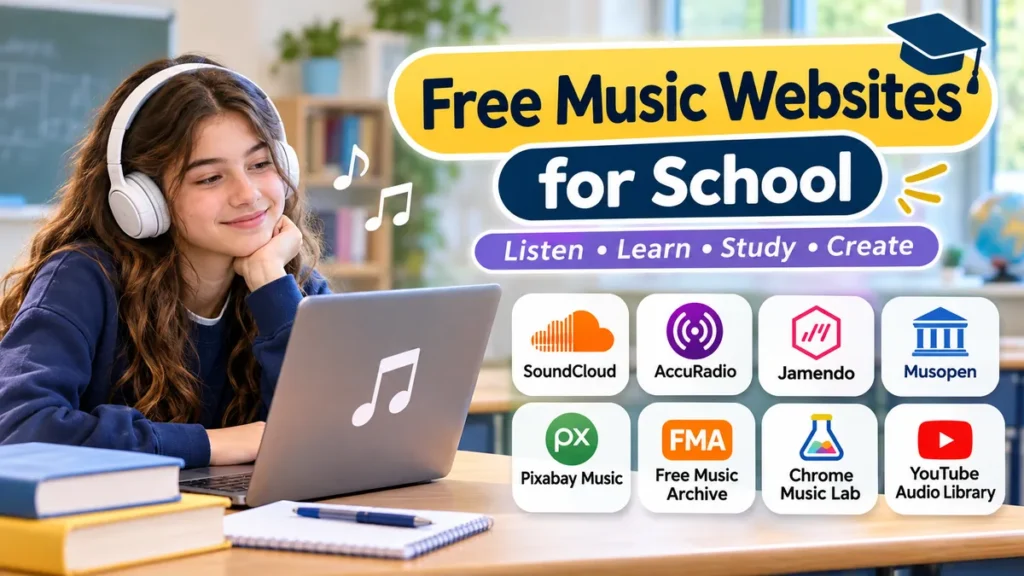
The best free music websites for school include SoundCloud, AccuRadio, Jamendo, Musopen, Pixabay Music, Free Music Archive, and Chrome Music Lab. These platforms provide music streaming, instrumental recordings, educational activities, and downloadable audio. However, accessibility depends on school network restrictions, while download and reuse permissions vary by platform.
12 Best Free Music Websites for School in 2026
Different music platforms serve different purposes. Some specialize in entertainment, while others provide educational resources or background music for presentations, podcasts, and videos.
| Music Website | Best For | Free Access | Downloads |
|---|---|---|---|
| SoundCloud | Music discovery | Yes | Selected tracks |
| AccuRadio | Background study music | Yes | No |
| Jamendo | Independent music | Yes | Selected tracks |
| Musopen | Classical music | Yes | Limited |
| Pixabay Music | School projects | Yes | Yes |
| Free Music Archive | Creative Commons music | Yes | Selected tracks |
| Chrome Music Lab | Music education | Yes | Selected creations |
| Spotify | Study playlists | Yes | Premium music feature |
| TuneIn | Online radio | Yes | Limited |
| Bandcamp | Independent artists | Yes | Selected tracks |
| Incompetech | Educational videos | Yes | Yes |
| YouTube Audio Library | Video soundtracks | Yes | Yes |
1. SoundCloud
Website: soundcloud.com
SoundCloud is a popular music streaming platform featuring independent musicians, emerging artists, remixes, podcasts, and instrumental recordings.
Students can discover lo-fi beats, relaxing piano music, electronic compositions, and instrumental playlists suitable for independent study.
Key features include:
- Free browser-based streaming.
- Music from independent artists.
- Genre and artist search.
- Download options for selected recordings.
- Personalized music recommendations.
The free version may contain advertisements, and some user-uploaded tracks contain explicit content. Students should select appropriate recordings and follow their school’s internet usage policy.
2. AccuRadio
Website: accuradio.com
AccuRadio provides internet radio channels covering classical, jazz, acoustic, instrumental, pop, and numerous other musical genres.
Unlike traditional on-demand streaming services, AccuRadio focuses on curated radio stations. This makes it useful for students who want continuous background music without repeatedly selecting songs.
Its instrumental and classical channels are particularly suitable for reading, homework, and revision.
Advertisements may occasionally interrupt playback.
3. Jamendo
Website: jamendo.com
Jamendo connects listeners with independent musicians from around the world. Its library contains recordings across genres such as acoustic, electronic, rock, classical, and ambient music.
Students can explore original compositions without relying exclusively on mainstream streaming platforms.
Jamendo distinguishes between personal music listening and music licensing. A recording available for free personal listening does not automatically include permission to use it in a publicly distributed school video.
Always review the applicable license before reusing a track.
4. Musopen
Website: musopen.org
Musopen is an educational music resource specializing in classical recordings, sheet music, and music learning materials.
It is particularly valuable for students studying composers, musical instruments, orchestral arrangements, and music history.
Its collection includes compositions associated with:
- Johann Sebastian Bach.
- Ludwig van Beethoven.
- Wolfgang Amadeus Mozart.
- Frédéric Chopin.
- Antonio Vivaldi.
Students can listen to classical performances, while teachers can incorporate appropriately licensed recordings into educational activities.
Free membership may include download limitations. Check the copyright status of each recording separately from the original composition.
5. Pixabay Music
Website: pixabay.com/music
Pixabay Music is a useful resource for students who need downloadable background music for multimedia assignments.
Its library includes instrumental tracks suitable for presentations, short films, documentaries, podcasts, and digital storytelling projects.
Students can search using categories such as mood, genre, and musical style.
Most content is available under the Pixabay Content License, which generally permits incorporation into creative projects without mandatory attribution. However, restrictions apply, and certain recordings may generate automated copyright claims on video platforms. guides.lib.ua.edu+1
6. Free Music Archive
Website: freemusicarchive.org
Free Music Archive, commonly called FMA, provides access to original recordings from independent musicians across numerous genres.
It is especially helpful for students developing creative multimedia projects or exploring music outside commercial streaming services.
Many recordings use Creative Commons licenses. These licenses may permit downloading, sharing, or incorporating music into new projects under specified conditions.
Some licenses restrict commercial use or modifications, while others require attribution. Checking individual track permissions is essential.
7. Chrome Music Lab
Website: musiclab.chromeexperiments.com
Chrome Music Lab is an interactive educational website that helps students understand music through browser-based experiments.
Rather than streaming popular songs, it allows learners to explore musical concepts through hands-on activities.
Its experiments cover rhythm, melody, sound waves, harmonics, chords, and musical composition.
The Song Maker experiment allows students to create simple musical arrangements without installing specialist software.
Chrome Music Lab is particularly useful in elementary and middle school music classrooms.
8. Spotify
Website: open.spotify.com
Spotify provides access to an extensive collection of songs, albums, podcasts, and curated playlists.
Its free version offers study playlists covering instrumental music, peaceful piano, ambient sounds, classical compositions, and lo-fi beats.
Students can access the web player through compatible browsers without installing the desktop application.
However, free accounts include advertisements and playback limitations. Spotify may also be restricted on school-managed devices.
Music streamed through Spotify should not be assumed to be licensed for use in school videos or other creative projects.
9. TuneIn
Website: tunein.com
TuneIn is an internet radio platform featuring live broadcasts, music stations, podcasts, and international programming.
Students can explore different music genres, languages, and cultural traditions through radio stations from around the world.
It is particularly useful for background listening and educational activities involving international music.
Some stations and features require a subscription, while many broadcasts remain freely accessible.
10. Bandcamp
Website: bandcamp.com
Bandcamp allows independent artists and record labels to publish music directly for listeners.
Students can discover experimental music, jazz, instrumental compositions, ambient recordings, and unfamiliar musical genres.
Many artists offer free streaming, while some provide free or name-your-price downloads.
Download availability and reuse permissions depend on the individual artist. Free access does not automatically remove copyright restrictions.
11. Incompetech
Website: incompetech.com
Incompetech features royalty-free music created by composer Kevin MacLeod.
Its collection is useful for educational documentaries, animated videos, classroom presentations, and student filmmaking.
Students can explore tracks based on mood, genre, and the atmosphere they want to create.
Many recordings are available under Creative Commons attribution licenses, allowing eligible reuse when the required credit is provided. Library Guides+1
12. YouTube Audio Library
Website: studio.youtube.com
YouTube Audio Library provides downloadable music and sound effects for content creators.
Students producing educational videos can search for tracks based on genre, mood, duration, and attribution requirements.
Some recordings require artist attribution, while others do not require credit under their applicable terms.
Access generally requires a Google account and YouTube Studio. Students should confirm school approval and applicable age requirements before using the service.
Free Music Websites for School That May Work on Chromebooks
School Chromebooks often include administrative restrictions that prevent students from installing applications or accessing certain entertainment websites.
Browser-based music platforms can be convenient because they do not require additional software.
| Website | Browser-Based | Account Requirements |
|---|---|---|
| Chrome Music Lab | Yes | No |
| Musopen | Yes | Required for certain features |
| SoundCloud | Yes | Not required for many public tracks |
| AccuRadio | Yes | Not required for basic listening |
| Free Music Archive | Yes | Varies by feature |
| Pixabay Music | Yes | May vary by download |
| Incompetech | Yes | Generally not required |
Are There Any Completely Unblocked Music Websites?
No music website is guaranteed to remain unblocked across every school network.
School administrators configure internet filtering according to their educational priorities, security requirements, and acceptable-use policies. A website accessible at one school may be unavailable at another.
Restrictions may also differ between personal devices and school-managed Chromebooks.
If a legitimate educational music website is blocked, ask your teacher or school IT administrator to review its accessibility. Sekin+1
Can Students Listen to Music Without Downloading Apps?
Yes. Most modern music streaming services provide browser-based players that work without downloading dedicated applications.
These websites can be useful when students have limited device storage or cannot install software.
However, streaming still requires an internet connection and permission to access the service.
Best Free Music Websites for Studying and Concentration
Music can create a more comfortable study environment, but choosing the right type of music matters.
Songs with prominent lyrics may compete for attention during reading, writing, or memorization. Instrumental recordings and predictable background sounds may be less distracting for some students.
Recommended Music Genres for Studying
| Music Genre | Suitable Study Activity |
|---|---|
| Lo-fi beats | Homework and revision |
| Classical music | Quiet reading |
| Ambient music | Independent study |
| Instrumental piano | Writing assignments |
| Acoustic instrumental | Creative activities |
| Nature sounds | Relaxation |
| Soft jazz | Routine assignments |
AccuRadio, Musopen, SoundCloud, and Spotify offer several of these listening categories.
Does Listening to Music Improve Academic Performance?
Music does not automatically improve grades or memory.
Its effectiveness depends on the individual student, the complexity of the assignment, listening volume, and the characteristics of the music.
A student completing repetitive mathematics exercises may respond differently to background music than someone memorizing unfamiliar vocabulary.
For demanding reading or examination preparation, silence may be more effective.
Keep the volume low, choose instrumental recordings, and compare your concentration with and without music.
Quick takeaway: The best study music is music that supports concentration without becoming another source of distraction.
Best Music Websites for Teachers and Classroom Activities
Music websites can support classroom learning beyond entertainment. Teachers can use them to demonstrate musical concepts, introduce historical compositions, and encourage creativity.
Chrome Music Lab for Interactive Learning
Chrome Music Lab allows teachers to demonstrate rhythm patterns, pitch, melody, and frequency through interactive activities.
Students can experiment with sounds and create simple compositions while learning how musical structures work.
It can also connect music education with mathematics, physics, and technology.
Musopen for Classical Music Education
Musopen provides recordings and sheet music that teachers can use to introduce composers, musical periods, and instrumental techniques.
A music teacher might compare Baroque and Romantic compositions or demonstrate how different instruments contribute to an orchestral performance.
Internet Archive for Historical Audio
The Internet Archive contains historical audio recordings, radio broadcasts, live performances, and other digital materials.
Teachers can use relevant recordings to explore cultural history, musical development, and historical broadcasting.
Copyright and reuse permissions vary between recordings.
MusicTheory.net for Music Fundamentals
MusicTheory.net provides browser-based lessons and exercises covering musical notation, intervals, scales, chords, and key signatures.
It is useful for students learning to read sheet music or improving their understanding of music theory.
Educational music resources can complement traditional classroom instruction without requiring expensive software. Save The Music Foundation+1
Where to Download Free Music for School Projects
Students creating presentations, short films, podcasts, or digital assignments need to consider more than whether a song is available for free.
They must also establish whether the recording can legally be incorporated into their work.
Best Royalty-Free Music Resources
| Website | Recommended Use | Attribution |
|---|---|---|
| Pixabay Music | Presentations and videos | Generally not required |
| Mixkit | Multimedia projects | Generally not required under applicable licenses |
| Incompetech | Documentaries and animations | Usually required for free licensed tracks |
| Free Music Archive | Creative assignments | Depends on license |
| YouTube Audio Library | Educational videos | Depends on track |
| Audionautix | Audio and video projects | Generally required |
Other useful resources include Bensound, ccMixter, Purple Planet Music, and Openverse. Their licensing conditions should be reviewed before downloading or publishing any material. cleancutsvg.com+2
How to Download and Use Music Legally
Follow these steps when selecting music for an educational assignment:
- Visit a reputable music licensing website.
- Search for a track matching your project’s theme.
- Review its individual license conditions.
- Confirm that the license permits your intended use.
- Download the recording through the official website.
- Save a copy of the licensing information.
- Include artist attribution when required.
- Check additional permissions before publishing the project online.
For example, if you are creating a science documentary, a suitably licensed instrumental track from Pixabay Music may be more appropriate than a commercially released song streamed through Spotify.
Can Students Use Copyrighted Music in School Projects?
Educational use does not automatically eliminate copyright obligations.
Some classroom activities may qualify for educational exceptions or fair use, depending on the country and specific circumstances. However, those exceptions do not necessarily extend to videos uploaded publicly to YouTube or social media.
Using properly licensed music is generally the simplest way to reduce copyright complications.
Understanding Copyright and Music Licensing
One of the most common mistakes students make is assuming that free music, royalty-free music, and copyright-free music mean the same thing.
These terms describe different rights and restrictions.
| License Type | Meaning |
|---|---|
| Royalty-free | Music used under a license without recurring royalties for permitted uses |
| Copyright-free | Music not protected by applicable copyright |
| Public domain | Material no longer protected by copyright or otherwise in the public domain |
| Creative Commons | Music shared under standardized licensing conditions |
| Personal-use license | Music intended for private listening or other specified personal activities |
Creative Commons licenses can include several conditions:
- CC BY: Requires appropriate attribution.
- CC BY-SA: Requires attribution and applicable share-alike conditions.
- CC BY-NC: Restricts reuse to noncommercial purposes.
- CC BY-ND: Restricts sharing adapted versions.
- CC0: Waives copyright and related rights to the extent legally possible.
Students should be especially careful with NoDerivatives licenses because synchronizing music with video may constitute an adaptation.
Music can also involve separate copyrights for the composition and its sound recording. A centuries-old classical composition may be in the public domain while a modern performance remains protected.
How to Credit Music in a School Project
A useful attribution includes the recording title, artist’s name, source website, license, and any modifications when applicable.
For example:
Music: Track Title by Artist Name, available through Free Music Archive under CC BY 4.0. Music shortened for this presentation.
Place the attribution in the presentation credits, video description, or bibliography according to your teacher’s instructions and the applicable license.
How to Choose Safe Free Music Websites for School
Not every free streaming platform is suitable for students. Some unfamiliar websites contain misleading advertisements, intrusive pop-ups, unauthorized recordings, or potentially harmful downloads.
When evaluating a music website, consider the following factors:
- School network approval.
- Age-appropriate content.
- Secure HTTPS connections.
- Transparent privacy policies.
- Clear licensing information.
- Minimal intrusive advertising.
- Browser compatibility.
- Account and age requirements.
- Legitimate download options.
Younger students should use websites selected or supervised by teachers and parents.
Avoid platforms that require suspicious browser extensions, unofficial software installations, unnecessary personal information, or unauthorized music downloads.
Why Do Schools Block Music Streaming Websites?
Schools may restrict music websites for several reasons, including insufficient network bandwidth, distracting content, explicit lyrics, student privacy concerns, and cybersecurity risks.
Streaming audio across hundreds of devices can consume network resources needed for educational applications.
Restrictions also help teachers maintain focused learning environments.
Some schools permit selected educational music platforms while limiting general entertainment services.
What Should You Do If a Music Website Is Blocked?
Ask a teacher or school administrator whether an approved alternative is available.
You can also prepare appropriately licensed offline recordings in advance, provided that downloading and playing them complies with school policies.
For music lessons, Chrome Music Lab and Musopen may provide educational alternatives to mainstream streaming platforms.
Conclusion
The best free music websites for school depend on whether you want to study, learn music theory, discover independent artists, or create an educational project.
SoundCloud and AccuRadio are useful for casual listening, Musopen offers classical music resources, and Chrome Music Lab supports interactive learning. Pixabay Music, Free Music Archive, and Incompetech provide suitable starting points for finding licensed background music.
Always check your school’s internet policies, choose age-appropriate content, and review individual music licenses before downloading or publishing recordings. The right platform can make learning more engaging while respecting both school rules and artists’ intellectual property rights.